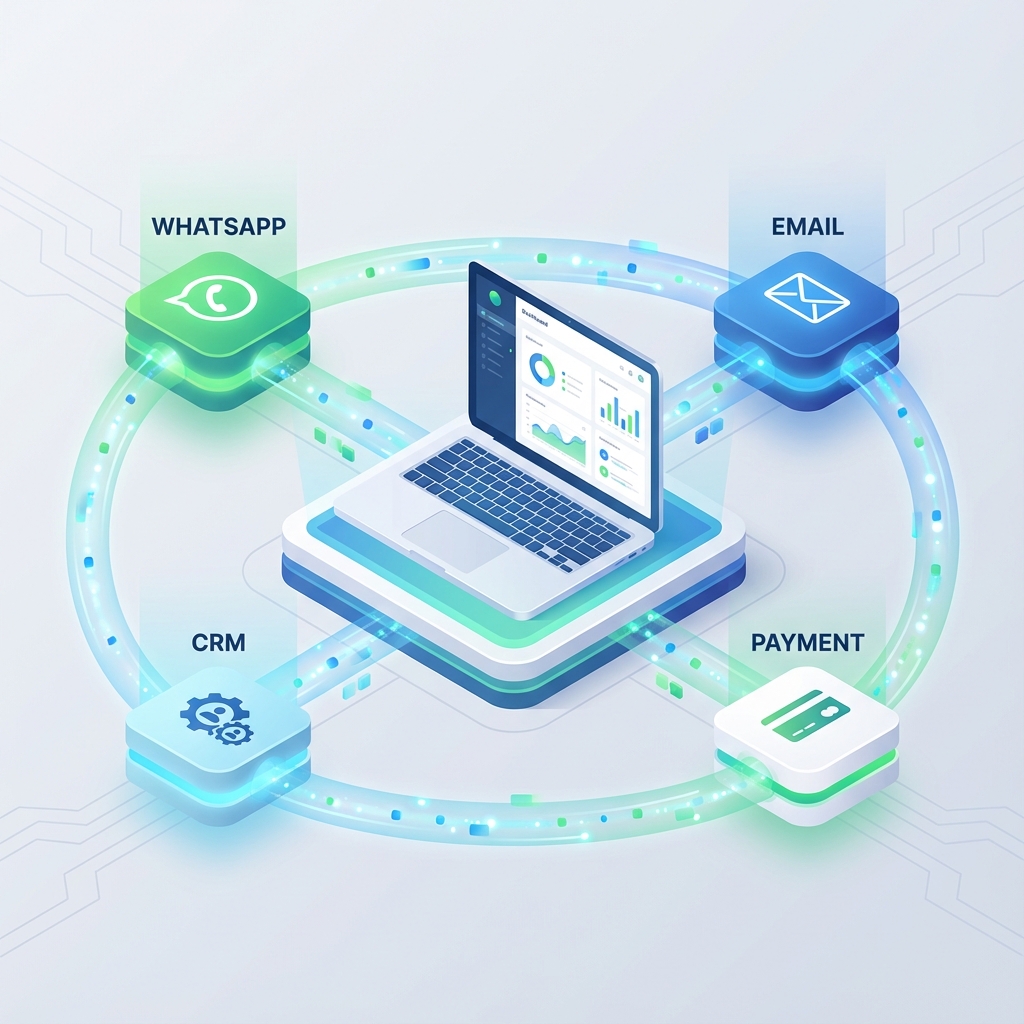
WhatsApp Business Automation: The Complete Integration Guide (2025)
In 2025, if your business isn't on WhatsApp, you're leaving money on the table.
With over 2 billion active users globally, WhatsApp has evolved from a simple messaging app into the primary customer communication channel for businesses across Asia, Latin America, Europe, and increasingly, North America.
But here's the problem: Most businesses are still using WhatsApp manually. Someone sits there all day responding to "What are your hours?" for the hundredth time.
This comprehensive guide will show you how to automate WhatsApp Business using modern tools—from simple chatbots to full CRM integrations—without needing a dedicated development team.
Part 1: The WhatsApp Opportunity
Why WhatsApp Beats Email and Phone
Open Rates:
- Email: 20-25%
- SMS: 90%+
- WhatsApp: 98%+
Response Time:
- Email support: 24-48 hours average
- WhatsApp: Customers expect < 5 minutes
Customer Preference: A 2024 study by Meta found that 67% of customers prefer messaging businesses over calling or emailing.
The Business Case
Let's say you run a dental clinic with 50 appointment requests per day.
Manual Process:
- Receptionist spends 5 minutes per inquiry
- 50 × 5 = 250 minutes (4+ hours daily) just managing WhatsApp
- Human error leads to double bookings
Automated Process:
- Chatbot handles 80% of FAQs instantly
- 10 complex queries escalated to human
- Integration with calendar prevents double bookings
- Receptionist time saved: 3.5 hours/day
At $15/hour, that's $52/day or $19,000/year in labor cost savings alone—not counting the revenue from better customer experience.
Part 2: Understanding WhatsApp Business API vs WhatsApp Business App
WhatsApp Business App (Free)
This is the mobile app you download from the app store.
Limitations:
- Only works on ONE device
- No automation capabilities
- Manual responses only
- Max 5 devices with WhatsApp Business API workaround
Good for: Solo entrepreneurs, very small businesses with <20 messages/day
WhatsApp Business API (Paid)
This is the programmatic interface that lets you integrate WhatsApp with your systems.
Requirements:
- Business verification by Meta
- Approved Business Solution Provider (BSP) account
- Official phone number (cannot be personal)
Costs:
- Conversation-based pricing (2025 rates):
- Service conversations: $0.004 - $0.02 per conversation (varies by country)
- Marketing conversations: $0.02 - $0.08 per conversation
- First 1,000 conversations/month: FREE
Good for: Any business serious about scaling customer communication
Part 3: The Architecture of WhatsApp Automation
The Components
Customer → WhatsApp → WhatsApp Business API → Your Backend → CRM/Database
                                              ↓
                                          AI Chatbot
                                              ↓
                                     Automation Rules
Let's break down each layer:
1. WhatsApp Business Platform Provider
You don't connect to Meta directly. You use a BSP (Business Solution Provider):
Top Providers (2025):
- Twilio: Most developer-friendly, excellent docs
- 360Dialog: Best pricing for Europe
- MessageBird: Good for multi-channel (SMS + WhatsApp)
- WATI: Easiest for non-technical teams (drag-and-drop)
2. The Middleware (Where Logic Lives)
This is where you process messages and decide what to do.
Options:
- No-Code: Zapier, Make.com (formerly Integromat)
- Low-Code: n8n (self-hosted automation)
- Custom Code: Node.js server with Express + WhatsApp SDK
3. The CRM/Database
Where you store customer data and conversation history.
Popular Choices:
- HubSpot: Best for sales teams
- Airtable: Easiest for non-technical teams
- PostgreSQL + Custom UI: Full control for developers
Part 4: Implementation Blueprint (No-Code Approach)
Use Case: Appointment Booking for a Dental Clinic
Goal: Automate appointment requests, send reminders, reduce no-shows.
Step 1: Set Up WhatsApp Business API
Provider: We'll use WATI (easiest for this use case)
- Sign up at wati.io
- Verify your business (submit documents)
- Get your official business phone number assigned
- Configure your business profile:
- Business name
- Profile picture
- Business hours
- Address
- Website
Cost: ~$49/month for up to 1,000 conversations
Step 2: Create Message Templates
WhatsApp requires you to pre-approve message templates for outbound messages (messages you initiate).
Template 1: Appointment Confirmation
Hi {{1}}, your appointment at Downtown Dental is confirmed for {{2}} at {{3}}.
Reply YES to confirm or CANCEL to reschedule.
Template 2: Reminder (24 hours before)
Reminder: You have an appointment tomorrow at {{1}}. See you soon!
Reply CANCEL if you need to reschedule.
Submit these in the WATI dashboard. Approval takes 24-48 hours.
Step 3: Build the Chatbot Flow
WATI has a visual flow builder. Here's the logic:
User: "I want to book an appointment"
  ↓
Bot: "Great! What service do you need?"
  [Button: Cleaning]
  [Button: Filling]
  [Button: Consultation]
  ↓
Bot: "When works best for you?"
  [Show available slots from Google Calendar API]
  ↓
Bot: "Perfect! What's your full name and phone number?"
  [Collect info]
  ↓
Bot: *Creates event in Google Calendar*
Bot: *Sends confirmation via approved template*
Bot: "See you on March 15 at 2 PM!"
FAQ Automation:
User: "What are your hours?"
Bot: "We're open Monday-Friday 9 AM - 6 PM, Saturday 10 AM - 4 PM."

User: "Where are you located?"
Bot: *Sends location pin + address*

User: "How much does a cleaning cost?"
Bot: "Our standard cleaning starts at $150. Would you like to book?"
Step 4: Integrate with Your CRM
Goal: Every WhatsApp conversation creates a contact in HubSpot automatically.
Using Zapier:
- Trigger: New message in WATI
- Action: Create/Update Contact in HubSpot
- Map: Phone Number → HubSpot Contact
- Map: Name → Contact Name
- Map: Message Content → Note
- Action: If keyword "book appointment" → Create Deal in HubSpot pipeline
Now your sales team sees WhatsApp conversations in their CRM.
Step 5: Automate Reminders
Using WATI's built-in scheduler:
- 24 hours before appointment → Send reminder template
- If user replies "CANCEL" → Trigger webhook to delete calendar event
- 1 hour after appointment → Send feedback request
Part 5: Advanced Automation (Custom Code)
For businesses with complex needs, you need a custom backend.
Tech Stack
Backend:
// server.js (Node.js + Express)
const express = require("express");
const { Twilio } = require("twilio");

const app = express();
const client = new Twilio(ACCOUNT_SID, AUTH_TOKEN);

app.post("/webhook/whatsapp", async (req, res) => {
  const { From, Body } = req.body;

  // Save to database
  await db.messages.create({
    phone: From,
    message: Body,
    timestamp: new Date(),
  });

  // Check intent
  if (Body.toLowerCase().includes("appointment")) {
    // Fetch available slots from calendar
    const slots = await getAvailableSlots();
    await sendMessage(From, `Available slots: ${slots}`);
  }

  res.sendStatus(200);
});

async function sendMessage(to, body) {
  await client.messages.create({
    from: "whatsapp:+1234567890",
    to: to,
    body: body,
  });
}
AI-Powered Responses
Integrate OpenAI GPT to handle complex queries:
const OpenAI = require("openai");
const openai = new OpenAI({ apiKey: process.env.OPENAI_KEY });

async function handleMessage(userMessage) {
  const response = await openai.chat.completions.create({
    model: "gpt-4",
    messages: [
      {
        role: "system",
        content: `You are a helpful dental clinic assistant.
        Our services: Cleaning ($150), Filling ($200-400), Root Canal ($800).
        Hours: Mon-Fri 9-6, Sat 10-4.
        If asked to book, collect: name, service, preferred date.`,
      },
      {
        role: "user",
        content: userMessage,
      },
    ],
  });

  return response.choices[0].message.content;
}
Now your bot can handle natural language:
User: "Hey, I have a toothache on my upper left molar. Can I see someone tomorrow afternoon?"
Bot: "I'm sorry to hear about your toothache! We have availability tomorrow at 2 PM and 4 PM. Which works better for you?"
Part 6: Compliance and Best Practices
WhatsApp Business Policy Compliance
DO:
- ✅ Get opt-in before sending marketing messages
- ✅ Respond within 24 hours to user-initiated conversations
- ✅ Use approved templates for outbound messages
- ✅ Provide clear opt-out mechanism
DON'T:
- ❌ Spam users with unsolicited promotions
- ❌ Share or sell user data
- ❌ Use WhatsApp for prohibited industries (gambling, tobacco, weapons)
Penalties: Meta can ban your business number permanently.
Data Privacy (GDPR, CCPA)
Store WhatsApp conversations securely:
- Encrypt messages at rest
- Implement data retention policies (auto-delete after X months)
- Allow users to request data deletion
Part 7: ROI Measurement
Key Metrics to Track
Efficiency Metrics:
- First Response Time: Target < 5 minutes
- Resolution Time: Average time to close a conversation
- Automation Rate: % of conversations handled without human intervention
Business Metrics:
- Conversion Rate: % of conversations that result in a booking/sale
- Customer Satisfaction: Post-conversation rating
- Revenue per Conversation
Example Dashboard (Airtable):
| Date       | Conversations | Automated | Human | Bookings | Revenue  |
|------------|---------------|-----------|-------|----------|----------|
| Mar 1      | 45            | 36        | 9     | 12       | $1,800   |
| Mar 2      | 52            | 41        | 11    | 15       | $2,250   |
Typical ROI Timeline
Month 1:
- Setup costs: $500-2,000 (depending on approach)
- Ongoing: $50-200/month (platform fees)
Month 3:
- Time saved: 15-20 hours/week
- Revenue increase: 10-20% (better response times → more bookings)
Break-even: Usually 2-3 months for SMBs
Part 8: Real-World Case Studies
Case Study 1: E-commerce Store (Fashion)
Business: Online clothing boutique, 500 orders/month Problem: Customer support overwhelmed with "Where's my order?" inquiries
Solution:
- WhatsApp Business API + Shopify integration
- Automated order status updates sent via WhatsApp
- AI chatbot for size/fit questions
Results:
- Support tickets reduced by 70%
- Customer satisfaction up 25%
- Abandoned cart recovery: WhatsApp reminders recovered 15% of carts
Case Study 2: Real Estate Agency
Business: Property sales and rentals Problem: Leads from Facebook ads were getting cold before agent contact
Solution:
- Facebook Lead Ads → Zapier → WhatsApp Business API
- Instant automated response with available properties
- Auto-schedule viewing appointments
Results:
- Lead response time: 24 hours → 2 minutes
- Conversion rate: 3% → 8%
- Cost per acquisition decreased by 40%
Part 9: Common Pitfalls to Avoid
1. Over-Automation
Don't try to automate everything. Complex issues need humans.
Best Practice: Use sentiment analysis to detect frustration and escalate to human.
if (message.includes("frustrated") || message.includes("complaint")) {
  await escalateToHuman(customerId);
}
2. Generic Bot Responses
Users can tell when they're talking to a dumb bot.
Bad: "I don't understand. Please rephrase." Good: "I'm not sure about that specific question. Let me connect you with Sarah, our specialist. She'll respond in about 10 minutes."
3. Ignoring Analytics
If you're not measuring, you're guessing.
Set up tracking from day one:
- Log all messages
- Tag conversations by topic
- A/B test different response templates
Part 10: The Future of WhatsApp Business Automation
Emerging Trends (2025-2026)
1. WhatsApp Payments In select markets (India, Brazil), users can complete purchases 100% within WhatsApp—no website needed.
2. Rich Media Catalogs Businesses can upload product catalogs. Users browse and buy without leaving WhatsApp.
3. AI Voice Notes Voice note → AI transcription → automated response. Removes typing barrier.
4. Multi-Agent Handoff Seamless transfer from bot → junior agent → senior specialist within same conversation thread.
Conclusion
WhatsApp automation isn't just about saving time—it's about meeting your customers where they already are.
Email is dead for immediate communication. Phone calls interrupt. WhatsApp is asynchronous, respectful, and preferred.
The opportunity is now:
- Competition is still catching up
- Tools are mature and affordable
- Customers are ready
Not sure where to start? At Devstract, we've built WhatsApp automation systems for e-commerce stores, medical clinics, real estate agencies, and educational platforms.
We handle everything: API setup, CRM integration, AI chatbot training, and ongoing optimization.
Let's turn your WhatsApp into your highest-converting sales channel.