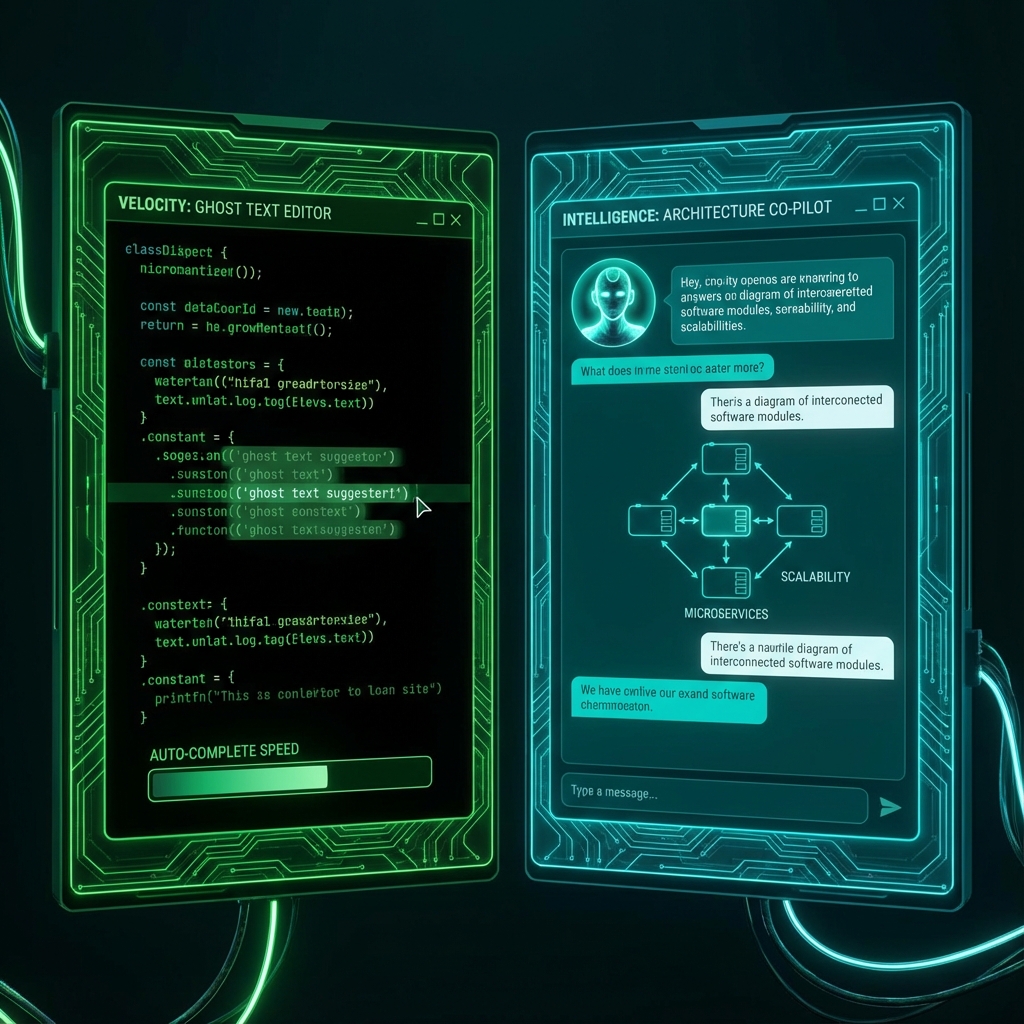
GitHub Copilot vs ChatGPT: The Pair Programmer's Comparison (2025)
In 2025, writing code without AI assistance feels akin to driving without power steering—possible, but unnecessarily arduous. The question has shifted from "Should I use AI?" to a more nuanced "Which AI tool fits my specific workflow?"
Two titans currently dominate the developer's toolkit:
- GitHub Copilot: The silent partner integrated into your IDE, predicting your next keystroke with uncanny accuracy.
- ChatGPT (along with Claude and Gemini): The conversational expert in your browser, capable of architecting entire systems and debugging complex, distributed errors.
While both act as coding assistants powered by Large Language Models (LLMs), they represent diametrically opposed philosophies. One is a highly specialized Tactical Tool designed for flow; the other is a general-purpose Strategic Partner optimized for reasoning.
In this comprehensive guide, we will dissect their differences, explore the "Hybrid Workflow" adopted by elite developers, and discuss how to mitigate the risks of "Mental Atrophy" in an AI-driven world.
Introduction: The Two Modes of AI Coding
To understand tools, we must first understand the workflow of modern software engineering. Coding is not a monolithic activity. It is a cycle of distinct cognitive modes:
- The Architect Mode: Planning, system design, choosing technologies, defining interfaces. This requires high-level reasoning and broad context.
- The Soldier Mode: Implementation, typing syntax, connecting APIs, writing boilerplate. This requires speed, precision, and deep knowledge of specific syntax.
- The Detective Mode: Debugging, tracing errors, reading logs. This requires hypothesis generation and pattern matching.
- The Janitor Mode: Refactoring, writing tests, documenting, cleaning up. This requires patience and attention to detail.
GitHub Copilot dominates the Soldier and Janitor modes. It is about flow. It keeps your hands on the keyboard and your mind in the code.
ChatGPT dominates the Architect and Detective modes. It is about reasoning. It allows you to step back, brainstorm, and analyze.
Understanding this distinction is the key to unlocking 10x productivity.
Part 1: GitHub Copilot (The Tactical Typer)
GitHub Copilot (built on a specialized version of GPT-4o) is an "Autocomplete on Steroids." It lives in your VS Code (or IntelliJ/Vim) environment. It reads your current file, your open tabs, and your project structure to predict what you want to write next.
1.1 The Architecture of Prediction
Copilot doesn't just "guess." It uses a technique called Fill-In-The-Middle (FIM).
- Standard LLM: Predicts the next token based on previous tokens.
- Copilot: Looks at the code before your cursor AND the code after your cursor.
If you have:
function calculateTotal(items) {
  // CURSOR HERE
  return total;
}
Copilot sees the return total at the end. It knows it needs to calculate a variable named total. A standard chat LLM often ignores the suffix, leading to broken code.
1.2 The "Flow State" Engine
The greatest value of Copilot is maintaining Flow State. Flow is that magical zone where time disappears, and you represent ideas directly in code.
Every time you:
- Switch to a browser to look up syntax.
- Switch to Stack Overflow to find a regex.
- Stop to type standardized boilerplate (e.g.,
useEffect).
You break flow. The "context switch penalty" is real—it takes an average of 23 minutes to get back into deep focus after an interruption.
Copilot eliminates these micro-interruptions.
- Need a regex for email? Start typing
const emailRegex =and it appears. - Need a standard Redux slice? Type the name, and it fills the reducer.
It allows you to code at the "Speed of Thought."
1.3 Best Use Cases for Copilot
A. Boilerplate Destruction
Writing HTML structures, CSS classes, SQL migrations, and JSON schemas is tedious. Copilot excels here.
Human types:
CREATE TABLE users (
  id UUID PRIMARY KEY DEFAULT gen_random_uuid(),
Copilot completes:
  email VARCHAR(255) UNIQUE NOT NULL,
  password_hash VARCHAR(255) NOT NULL,
  created_at TIMESTAMP WITH TIME ZONE DEFAULT NOW(),
  updated_at TIMESTAMP WITH TIME ZONE DEFAULT NOW()
);
B. Unit Testing
This is perhaps the single best use case. Writing tests is vital but repetitive.
Human types:
describe('UserCalculator', () => {
  it('should calculate total for empty cart', () => {
Copilot completes:
    const cart = [];
    const total = calculateTotal(cart);
    expect(total).toBe(0);
  });

  it('should calculate total for single item', () => {
    const cart = [{ price: 10, quantity: 1 }];
    const total = calculateTotal(cart);
    expect(total).toBe(10);
  });
  // ... and continues generating edge cases
It often suggests edge cases you might have missed (negative numbers, large inputs).
C. Pattern Matching
If you edit 5 files to change a variable name, Copilot "learns" the pattern after the first edit. On the second and third files, it will suggest the change before you type it. It acts as a smart macro recorder.
1.4 Copilot Chat and Workspace
Recognizing the need for more interaction, GitHub introduced Copilot Chat (a sidebar chat) and Copilot Workspace (an entire issue-to-PR workflow).
- Copilot Chat: Allows you to highlight code and ask "What does this do?" or "Refactor this to be cleaner." It bridges the gap to ChatGPT but stays within the IDE context.
- Copilot Workspace: It attempts to read a GitHub Issue, plan the changes across multiple files, and implement them. It is the beginning of autonomous coding agents within GitHub.
Part 2: ChatGPT (The Strategic Architect)
ChatGPT (specifically GPT-4o, Claude 3.5 Sonnet, or Gemini 1.5 Pro) lives in your browser (or desktop app). It is distinct from your code editor. This separation is a feature, not a bug.
2.1 The Tabula Rasa
When you open ChatGPT, you start with a blank slate. You are not constrained by your existing codebase's mess. This is perfect for Greenfield Design.
Prompt: "I need to build a real-time notification system for a React Native app. Compare WebSockets (Socket.io) vs MQTT vs Server-Sent Events. Which is best for battery life?"
Copilot cannot answer this. It is a "completion" engine, not a "reasoning" engine. ChatGPT will generate a comparative analysis, architectural diagrams (via Mermaid.js), and pros/cons lists.
2.2 The "Rubber Duck" Debugger
We have all been there: A bug that makes no sense. The code looks perfect. Usage is correct. It still fails. Explaining it to a coworker often reveals the answer. ChatGPT is that coworker, available 24/7, with infinite patience.
Prompt: "Here is my error log. Here is the relevant code snippet. I have already checked X and Y. What am I missing?"
ChatGPT can synthesize information from documentation, common bugs, and library quirks. It might say: "You are using React 18, but that library is only compatible with React 17's strict mode."
2.3 System-Level Refactoring
Refactoring a single function is Copilot's job. Refactoring an entire paradigm (e.g., "Move this app from Redux to React Query") is ChatGPT's job.
You can paste large chunks of code (or upload zip files) and ask:
"Here is my user.actions.ts. Rewrite this to use React Query mutations, handling optimistic updates and error rollbacks."
It will generate the new files, explain the changes, and warn you about pitfalls.
2.4 Best Use Cases for ChatGPT
A. Learning New Tech
"Explain Rust's Borrow Checker to a JavaScript developer using code comparisons." It translates concepts into your native mental model.
B. Generating Documentation
"Read this entire module and write a README.md explaining how to install it, configure it, and common usage examples."
C. Complex Algo Implementation
"Write a function to find the shortest path in a weighted graph, but prioritize nodes with a 'safe' property." It can write complex algorithms from scratch correctly on the first try (usually).
Part 3: The Danger Zone (Mental Atrophy)
With great power comes great risk. The "I'll just Copilot it" mentality is creating a generation of developers who can assemble code but cannot write or understand it.
3.1 The Autopilot Trance
When you drive on a highway with Lane Assist and Adaptive Cruise Control, your attention drifts. You stop scanning for hazards.
When coding with Copilot, you stop scanning for logic errors. You hit Tab -> Enter -> Tab -> Enter.
The code looks correct. It compiles. But is it right? Copilot often introduces Subtle Bugs:
- Off-by-one errors in loops.
- Security vulnerabilities (using
md5instead ofbcrypt). - Hallucinated APIs (calling a function that should exist but doesn't).
If you are in the "Autopilot Trance," you miss these. You become a reviewer, not an author. And humans are terrible at reviewing boring content.
3.2 The Junior Developer Trap
Senior engineers use AI to speed up what they already know. Junior engineers use AI to do what they don't know.
This is dangerous. If a Junior generates a complex AWS Lambda function via ChatGPT and pastes it into production, they have created Technical Debt.
- They don't know how to debug it when it breaks.
- They don't know how to optimize its cost.
- They don't understand the security implications.
The Knowledge Gap: Traditionally, you learned by struggling. You read the docs, failed, debugged, and eventually understood. AI bypasses the struggle. By bypassing the struggle, it bypasses the learning.
3.3 Mitigation Strategies
To avoid Mental Atrophy:
- The "Explain It" Rule: Never commit AI-generated code that you cannot explain line-by-line. Use ChatGPT to explain it to you if needed.
- Turn it Off: Dedicate 1 hour a day to coding without AI. Keep your "mental muscles" strong.
- Code Review: Treat AI code as "Untrusted Third-Party Code." Review it more harshly than human code.
Part 4: The Hybrid Workflow (How 10x Devs Work)
The best developers don't choose. They integrate both into a seamless workflow.
Phase 1: Architecture (ChatGPT)
Tool: ChatGPT / Claude Task: Planning the feature. Workflow:
- Describe the requirement.
- Ask for architectural options.
- Ask for the database schema definition.
- Ask for the API interface definition (TypeScript interfaces).
Result: A clear plan and type definitions.
Phase 2: Scaffolding (Copilot CLI / Workspace)
Tool: Copilot / Terminal Task: Creating files and structure. Workflow:
- Create the files.
- Paste the interfaces generated in Phase 1.
Phase 3: Implementation (Copilot)
Tool: Copilot in Editor Task: Writing the logic. Workflow:
- Open the file.
- Write a comment explaining the function:
// Fetch users and filter by active status. - Let Copilot generate the body.
- iterate.
Phase 4: Debugging (Both)
Tool: Copilot Chat + ChatGPT Task: Fixing issues. Workflow:
- If it's a simple syntax error: Hover and let Copilot Quick Fix handle it.
- If it's a logic error: Copy the error and code to ChatGPT for deep analysis.
Phase 5: Documentation & Tests (Copilot)
Tool: Copilot Task: Cleanup. Workflow:
- Type
/**above a function to generate JSDoc/TSDoc. - Open a test file and start writing
describe(, letting Copilot fill the test cases.
Part 5: The Future (Convergence)
The line between "Chat" and "Editor" is blurring.
5.1 Project-Aware Chat (RAG)
Tools like Cursor (an AI-first fork of VS Code) and Copilot Enterprise are indexing your entire codebase locally.
You can ask: "Where is the user authentication logic?"
The AI doesn't just guess; it searches your vectors and points to src/auth/AuthProvider.tsx.
This makes the "Chat" aspect much more powerful because it has the context of the "Editor."
5.2 Agents (Copilot Workspace)
We are moving from "Code Generation" to "Task Execution." Soon, you won't type code. You will type: "Add a dark mode toggle to the settings page." The Agent will:
- Find the settings page file.
- Find the theme context.
- Write the CSS/Tailwind classes.
- Add the toggle component.
- Run the app and verify it works.
This returns us to the role of Architect. The "Soldier" mode will increasingly be automated away.
Conclusion: Who Wins?
There is no winner. They are different tools for different jobs.
- Use Copilot to type faster, stay in flow, and handle boilerplate. It is your Exoskeleton.
- Use ChatGPT to think deeper, explore options, and debug complex messes. It is your Consultant.
The developer who refuses to use either will be replaced—not by AI, but by the developer who uses both.
Summary Comparison Table
| Feature | GitHub Copilot | ChatGPT (GPT-4o) |
|---|---|---|
| Primary Interface | IDE (Inline Ghost Text) | Chat Window (Browser/App) |
| Context Awareness | High (Current file + Open tabs) | Low (Unless files uploaded) |
| Best For | Boilerplate, Unit Tests, Syntax | Architecture, Debugging, Learning |
| Interactivity | Low (Tab to accept) | High (Back-and-forth dialogue) |
| Privacy | Enterprise (Zero-retention avail) | Enterprise (Zero-retention avail) |
| Cost | ~$10/mo ($19/business) | ~$20/mo |
| Mental Model | "Tactical Typer" | "Strategic Architect" |
Final Advice
Don't let the AI drive the car. You are the driver. The AI is the GPS and the Cruise Control. If you don't know where you are going (Architecture) or how to drive (Core Coding Skills), you will crash. Master the fundamentals. Then, strapp on the jetpack.
Appendix: Advanced Prompting Techniques
For ChatGPT (Role Prompting)
"Act as a Senior Backend Engineer specializing in high-performance Node.js. Review this code for memory leaks and race conditions. Be ruthless in your critique."
For Copilot (Comment Driven Development)
Instead of just hoping Copilot guesses, guide it with comments.
// 1. Fetch data from API with retry logic (max 3 retries)
// 2. Transform data to match UI interface
// 3. Handle 401 errors by redirecting to login
// 4. Return tuple of [data, error]
async function getData() {
  // Cursor here -> Copilot generates exactly what you asked for
}
For Migrations
"I am migrating this file from Vue 2 Options API to Vue 3 Composition API with Script Setup. Here is the file. Please rewrite it and explain the key changes."
For Security Audits
"Analyze this smart contract code for re-entrancy attacks and integer overflow vulnerabilities."
Ethical Considerations
As we embrace these tools, we must consider:
- Copyright: Copilot is trained on public code (including GPL). There is a non-zero chance it reproduces copyrighted code verbatim. Use the "Filter public code suggestions" setting in enterprise environments.
- Bias: AI models reflect the biases of their training data. They might suggest older, deprecated patterns simply because there is more training data for them than for newer, better patterns.
- Environment Impact: Training and running these models consumes massive amounts of energy. Use them efficiently.
The future of coding is hybrid. Human creativity + Machine speed. Embrace the dilemma, and turn it into your superpower.